ZeroTube
The IDE for Learning
“watch once, understand deeply, remember permanently.”
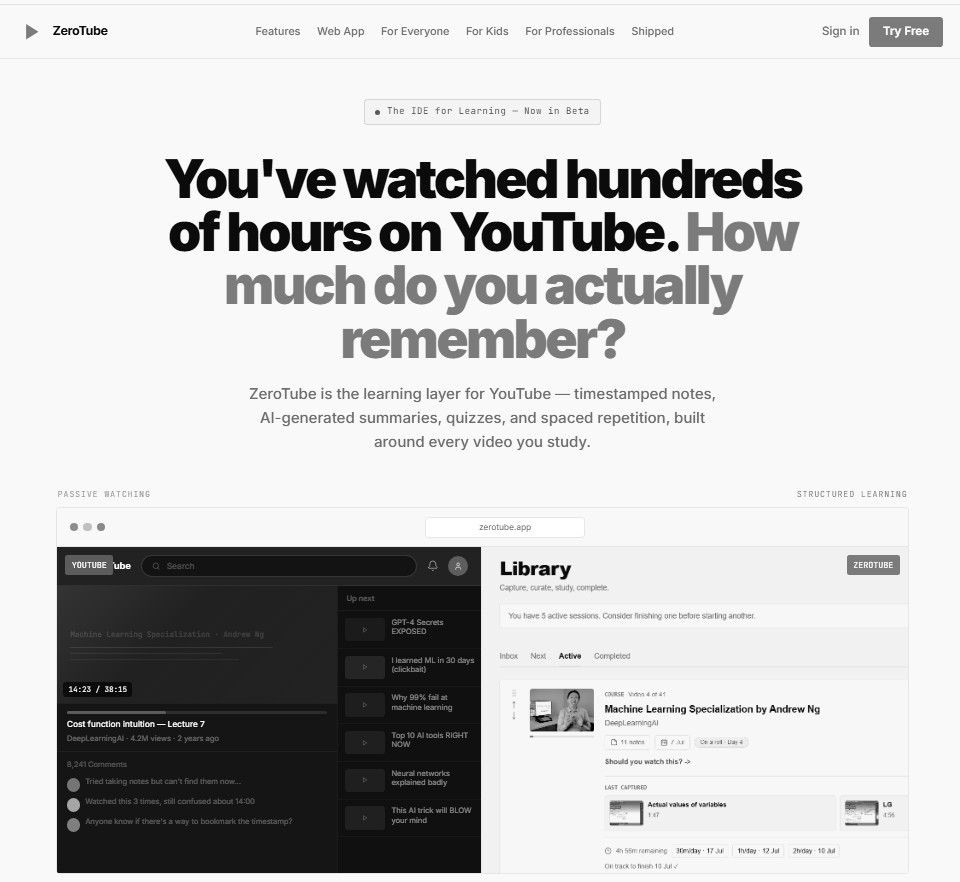
The Ask
It started as a cleaner YouTube player
The original brief was called FocusTube: strip out YouTube's algorithmic feed, remove recommendations and comments, and give learners a quiet space to watch educational content without being pulled elsewhere. A distraction-free player — nothing more.
During intake, a different frame emerged. The actual problem wasn't distraction during playback — it was everything that happened around the video. Notes scattered across apps. No way to revisit key moments. No synthesis across multiple sessions. No recall mechanism that actually worked.
The player was still the entry point. But the real opportunity was building a proper learning environment: somewhere a learner could process, retain, and return to material — not just consume it passively. That reframe changed the architecture on Day 1.
The 20% That Was New
Modeling the Learning Session as the root object
The most consequential architectural decision was also the simplest to state: the core entity in the data model is not a Video — it's a Learning Session.
A Video is something YouTube owns. A Learning Session is something the learner owns. It has a status ( Inbox → Next → Active → Completed), a set of timestamped notes, AI-generated artifacts (summary, flashcards, quiz), and a history of interactions with that content over time.
This single decision unlocked the 4-stage workflow, Collections (groups of sessions around a topic), and cross-session synthesis — where the AI can ask questions that connect ideas across multiple videos rather than summarising each one in isolation. None of that is possible if you model around the video.
The 80% That Was Pre-Built
Day Zero foundation
Auth, database, row-level security, and backend logic all came from Supabase. Postgres handled the data model; Supabase Auth managed sign-in with zero custom session code; Row-Level Security policies ensured a learner can only ever access their own sessions, notes, and collections without writing a single middleware check.
Edge Functions handled AI orchestration calls — keeping API keys server-side and giving us per-function cold-start performance without provisioning a server. The Chrome extension and Tauri 2 desktop app both called the same Supabase API surface, so there was one backend for all three platforms.
None of this required a decision. It was already in place on Day Zero.
Third-Party Stack
Tools we reached for
| Feature | Approach | Tool |
|---|---|---|
| Transcripts | Fetch full video transcript with timestamps, used as the basis for AI processing and note anchoring | youtube-transcript.io |
| AI summaries, flashcards & quizzes | Two-tier: high-volume structured tasks (summaries, flashcards) use flash; multi-step reasoning (cross-session synthesis, quiz generation) uses pro | Gemini API — gemini-2.0-flash + gemini-2.5-flash |
| Video playback | Embedded player with programmatic seek, playback rate control, and timestamped pause events piped to the note creation flow | YouTube IFrame Player API |
| Visual / screenshot notes | Web: chrome.tabs.captureVisibleTab (extension); web fallback: getDisplayMedia; desktop: Tauri 2 native capture — same UX across all three platforms | Chrome extension API / getDisplayMedia / Tauri 2 |
| Desktop app | Single Rust-backed desktop binary wrapping the web frontend — adds native window management, file access for export, and platform-level capture | Tauri 2 |
| Frontend | Component library providing accessible, unstyled primitives; Tailwind for all visual styling | shadcn/ui + Tailwind CSS |
| State management | Lightweight client-side store for session state, playback position, and pending note drafts — no Redux overhead | Zustand |
| Monorepo | Shared types, API client, and utility packages across web app, Chrome extension, and Tauri desktop app from one workspace | pnpm workspaces |
What Was Scoped Out
Deliberate sequencing, not gaps
Each of these is a coherent product extension. None of them were cut for cost reasons — they were deferred because shipping a focused, working core first is the only reliable way to find out which extensions actually matter to real users.
Outcome
The signal worth watching
ZeroTube shipped on Day 10. The product is live and in use. The number we care about has nothing to do with installs or sign-ups.
It is this: do learners come back unprompted to finish sessions they started? Not because a notification pushed them back. Not because they were in a course with external accountability. Because the environment itself made it easy — and worth returning to.
Early signals are encouraging. That said, it is still early. We are watching return rate and session completion rate across the first cohort of real users before drawing any conclusions. The honest framing is: the architecture supports this behaviour. Whether users actually exhibit it at scale is the question Day 10 opened, not answered.